
Tech Myths We All Fell For (and the Truth Behind Them)

Technology makes our lives easier — but it’s also surrounded by half-truths, outdated advice, and myths that just won’t die. From how often you should shut down your computer to whether Macs are immune to viruses, many of us still believe things that aren’t quite accurate.
In this guide, CSU breaks down the most common tech myths, explains why they persist, and shares the real truth so you can make smarter, safer choices online.
Myth #1: Do You Really Need to Shut Down Your Computer Every Night?
For years, people believed shutting down daily was best for performance and longevity.
The truth: Modern computers are built to run efficiently in sleep mode. Shutting down every night is unnecessary and may even wear hardware faster.
✅ What to do instead: Restart once or twice a week to apply system updates. Otherwise, let your computer sleep for convenience and efficiency.

Sleep mode is safe; restart weekly for updates
Myth #2: Does Incognito Mode Make You Anonymous?
Private browsing sounds like a cloak of invisibility. Unfortunately, it’s not.
The truth: Incognito mode only prevents your device from saving history. Your internet provider, employer, or the websites you visit can still see your activity.
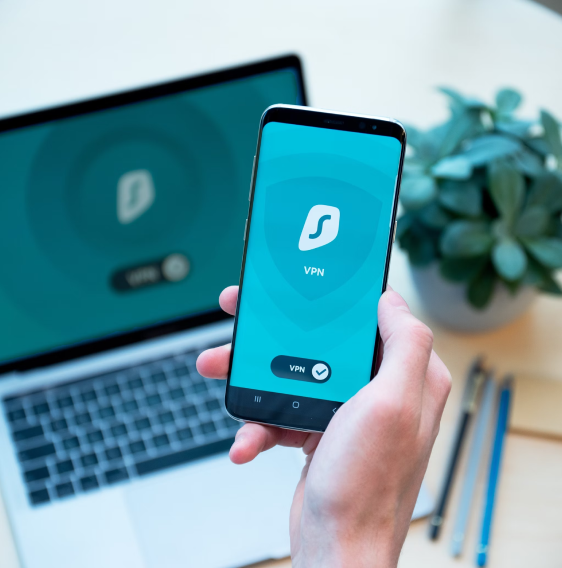
✅ What to do instead: Use a VPN, privacy-first browsers, or encrypted search engines like DuckDuckGo.
Myth #3: Do More Wi-Fi Bars Mean Faster Internet?
It’s easy to assume that more bars = better speed, but it’s not that simple.
The truth: Bars measure signal strength, not actual speed. You can have full bars and still suffer from slow connections due to bandwidth limits, router age, or ISP congestion.
✅ What to do instead:
-
Test your connection using Speedtest.
-
Upgrade your router every 4–5 years.
-
Place your router in a central, open location.

Upgrade your router every 4–5 years.
Myth #4: Does Closing Apps Make Your Computer Faster?
Many people believe constantly shutting apps keeps their system speedy.
The truth: Today’s operating systems are smart enough to manage background tasks efficiently. Repeatedly closing and reopening programs can even use more resources.
✅ What to do instead: Only close resource-heavy apps if they’re slowing things down. Otherwise, let your OS handle memory management.
Myth #5: Is Public Wi-Fi Safe if It Has a Password?
That password-protected café Wi-Fi might feel secure — but don’t be fooled.
The truth: A shared password doesn’t guarantee safety. Other users on the same network could still intercept your data.
✅ What to do instead: Avoid banking or entering sensitive info on public Wi-Fi. Use a VPN whenever possible.
Myth #6: Can Macs Really Get Viruses?
Apple earned a reputation for being “virus-proof,” but that’s more marketing than reality.
The truth: Macs are less targeted but still vulnerable to malware, spyware, and phishing. As Apple’s market share grows, cybercriminals are paying more attention.
✅ What to do instead: Keep macOS updated, enable built-in protections like Gatekeeper, and consider antivirus software for extra security.

Macs are less targeted but still vulnerable
Quick Recap: Tech Myths vs. Reality
| Myth | The Truth |
|---|---|
| Shut down your computer nightly | Sleep mode is safe; restart weekly for updates |
| Incognito = anonymity | Incognito hides history only; ISPs still see you |
| More Wi-Fi bars = faster | Bars = signal strength, not speed |
| Macs don’t get viruses | Macs are less targeted but still vulnerable |
| Password Wi-Fi is safe | Public Wi-Fi is risky even with a password |
| Closing apps speeds things up | Modern OS manages apps efficiently |
FAQs About Tech Myths
Q: Should I restart my computer daily?
A: No. Restarting once or twice a week is enough for updates and performance.
Q: Is incognito mode completely private?
A: No. It hides history from your device but not from your ISP or websites.
Q: Can Macs really get hacked?
A: Yes. While less common, Macs are not immune to malware or phishing.
Q: How can I stay safe on public Wi-Fi?
A: Use a VPN, avoid logging into sensitive accounts, and prefer mobile hotspots if possible.
Conclusion
Tech myths stick around because they sound logical — and sometimes, they used to be true. But in today’s world, relying on outdated advice can slow you down, leave you vulnerable, or just waste time.
By learning the truth, you can get more out of your devices, keep your data safer, and avoid unnecessary frustration.
👉 Explore more practical guides at CSU’s Blog for myth-busting, how-tos, and digital tips designed for everyday users.